Responsive Registration Form in HTML and CSS
by Letscode - October 4,2023
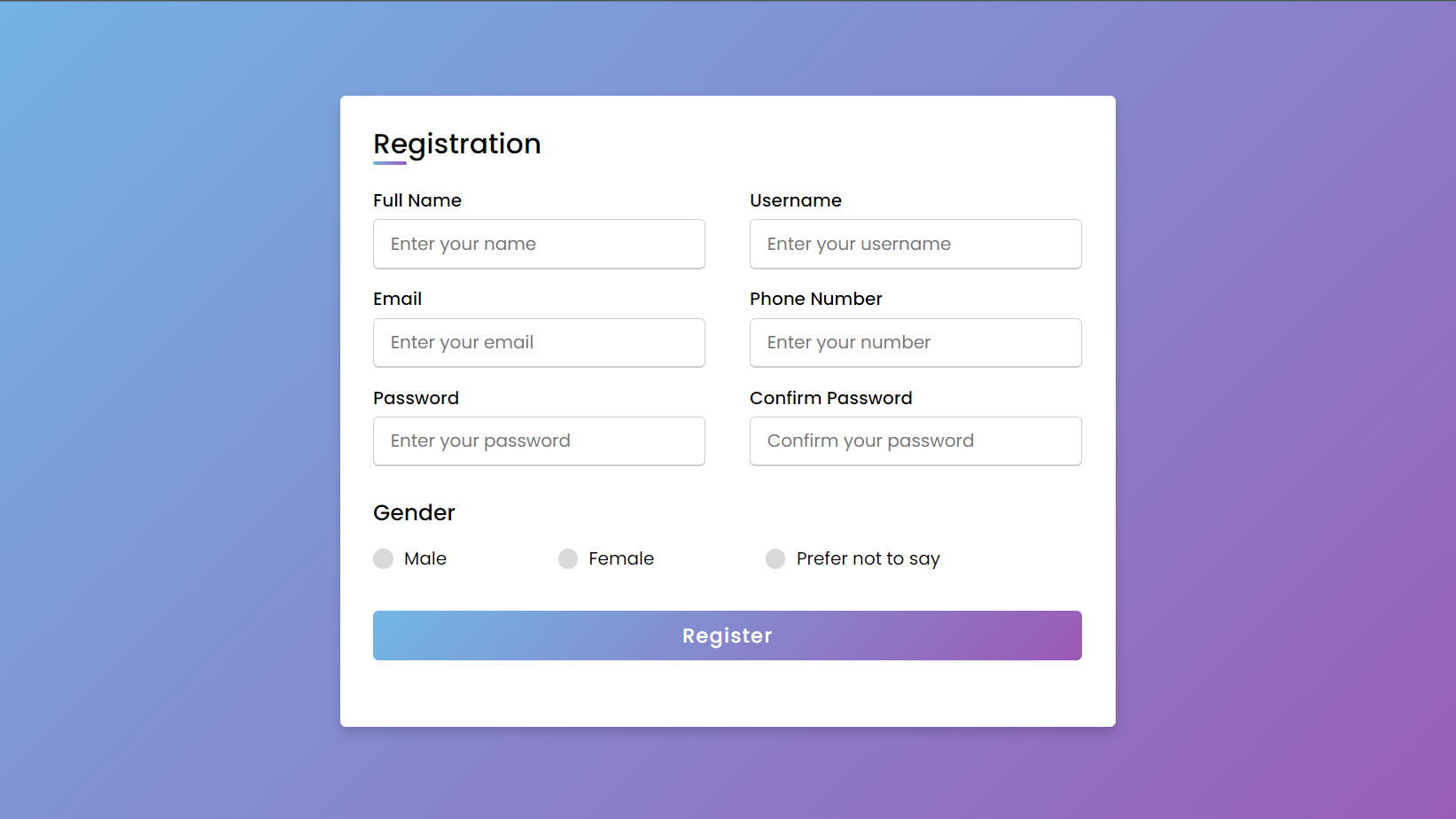
Hello Reader, today in this blog you will learn to create a Responsive Registration Form in HTML and CSS, you can also call it the Signup form. You can also check out the 16 Login & Registration Forms I have created to date. Now I’m going to build a registration/signup form.
The registration/signup form contains various input fields of different input details where the user needs to fill in his/her details to submit for a particular web page. There are various types of registration but the main purpose of this type of form is to collect users’ information or details.
As you can see on the given image of the signup of the registration form. Normally you can add 6 to 10 input fields on the signup form. Many people are confused about what they should include in the signup or registration form. You can add the following elements to your signup or registration form.
- Company Logo
- First and last name
- User name or Email
- Phone number
- Country/ Region/ State
- Date and Time
- Gender Selection
- Signup Button
If you want to see all the animation and the responsive programming, then you have to watch full video tutorials of this program Responsive Registration Form in HTML and CSS, after watching this video you will get all codes behind this programming and you will learn the actual works of every code.
Registration Form | Sign-up form | Source Code
To copy-paste the given codes of this Registration/Signup Form Design Template, you need to create two files one HTML file and another one a CSS file, after creating ing these two files you simply copy-paste all the given codes of HTML & CSS. You can also download all source code files from the given download button.
Create an HTML file on your computer with the name index.html and copy-paste the given HTML code of the Registration Form into your document.
If you face any difficulties while creating your Responsive Registration Form or your code is not working as expected, you can download the source code files for this Signup Form for free by clicking on the download button, and you can also view a live demo of this card slider by clicking on the view live button.

Most Popular




Recent Posts
-

Image Slider in HTML CSS and JavaScript
Letscode - October 4,2023
-

Facebook Login Page Using HTML & CSS
Letscode - October 10,2023
-

Amazon Website clone in HTML & CSS
Letscode - November 4,2023
-

Custom Captcha Generator in HTML CSS and JS
Letscode - October 24,2023